
Apple charges developers $99 a year to "notarize" Mac apps, and Windows code-signing certificates cost even more. GuruHat doesn't pay those, so the apps stay free. The warning isn't a sign that something is wrong with the app; the code is on GitHub if you want to check it yourself. Read why the apps are free.
You only have to do this once per app.
Mac: "Apple could not verify… is free of malware"
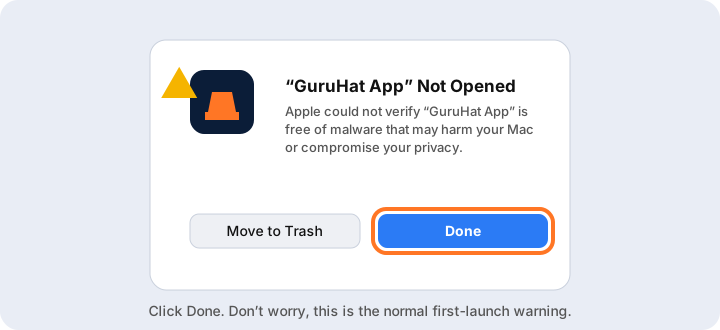
Open the app and click Done
Double-click the app. macOS shows a warning. Click Done (not Move to Trash).
Open System Settings, Privacy & Security
Go to System Settings → Privacy & Security and scroll down to the Security section. You'll see a message that the app was blocked. Click Open Anyway.
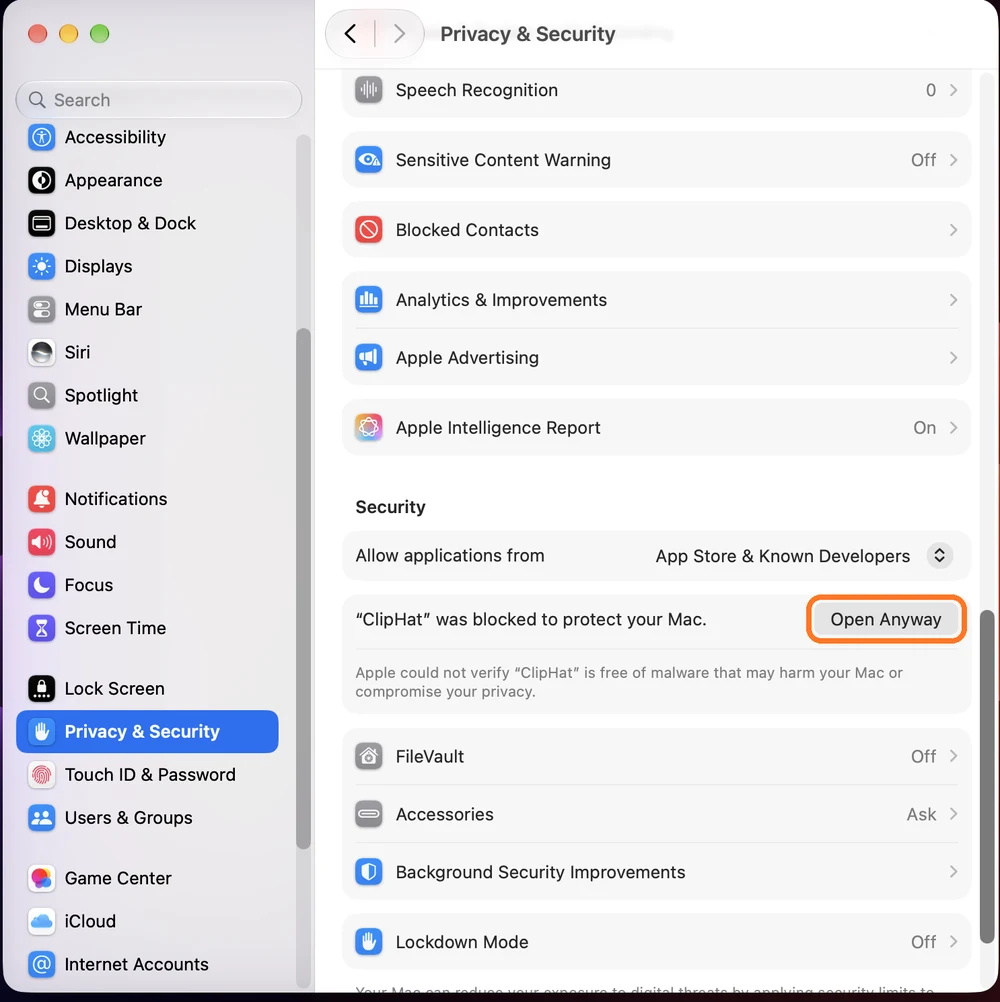
The button only shows for about an hour after you try to open the app. If it's missing, open the app again, click Done, and come back.
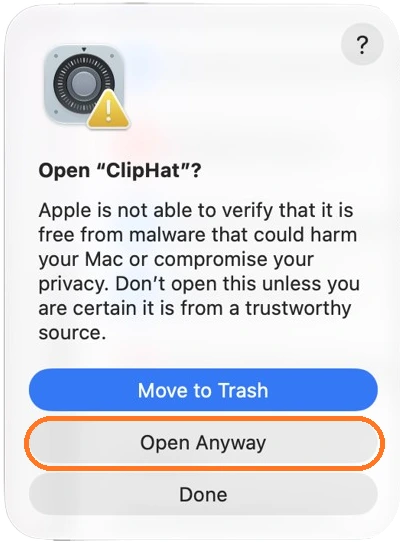
Confirm
A second window asks if you're sure. Click Open Anyway (the middle button, not the blue Move to Trash) and use Touch ID or your Mac password. The app opens, and it will open normally from now on.
Still stuck? Open Terminal and run this, with the app's real name (drag the app into the Terminal window to fill in the path):
xattr -dr com.apple.quarantine /Applications/AppName.appWindows: "Windows protected your PC"
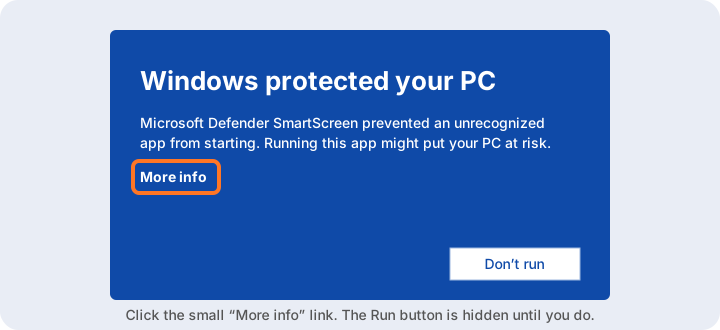
Click "More info"
If you see Windows protected your PC, click the small More info link. The Run button is hidden until you do.
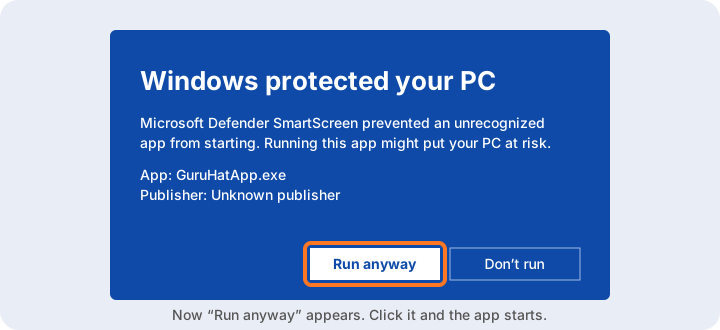
Click "Run anyway"
The publisher shows as unknown because GuruHat doesn't pay for a signing certificate. Click Run anyway and the app starts.
Prefer no warning at all? Get the app from the Microsoft Store where it's available. It's signed for you there.
Common questions
Why does macOS say "Apple could not verify" my GuruHat app is free of malware?
Apple charges developers $99 a year to notarize Mac apps. GuruHat apps are free and not notarized, so macOS shows this warning the first time. Go to System Settings → Privacy & Security and click Open Anyway.
Where is the Open Anyway button on Mac?
Open the app once and click Done, then open System Settings → Privacy & Security and scroll to the Security section. Open Anyway appears next to the message that the app was blocked, for about an hour after you try to open it.
Why does Windows say "Windows protected your PC"?
Microsoft Defender SmartScreen warns about apps from publishers without a paid code-signing certificate. Click More info, then Run anyway. The Microsoft Store version of the app is signed and shows no warning.
Is it safe to open a GuruHat app anyway?
GuruHat apps are open source, so you can read the code on GitHub at github.com/getguruhat before you run them. The warning only means the developer hasn't paid for Apple's or Microsoft's signing programs.
Do I have to do this every time?
No. You only do it once per app on each computer. After that the app opens normally.
Still need help?
Email hello@guruhat.com and say which app and which system you're on.