MCP for Claude Code & Codex
A built-in MCP server gives Claude Code and Codex tools to list, start, restart and read logs, so they stop launching servers in their own shells.
 GuruHat
ServerHat's built-in MCP server lets Claude Code and Codex start, stop, restart and read the logs of your local dev servers. They keep running after the session ends, and you approve every command from the menu bar.
● Free & open source · MCP server on macOS 13+ (Apple silicon) · Windows 10+ app with a local API · No account
Instead of starting servers in its own shell and losing them when
the session ends, your agent gets MCP tools: list_servers,
start_server, restart_server, get_logs,
add_server, import_project and more.
Open Settings (the gear in the menu) and choose Copy for Claude Code or Copy for Codex, then paste it into Terminal.
“Start the docs site”, “why did the API crash?”, “add this project”. The agent uses start_server, get_logs, import_project and more.
A new or changed command waits for your Allow in ServerHat. After that, the agent can start and restart it whenever it needs to.
npm run dev, a Python server, a Node script: anything with
a command line. ServerHat keeps them running, tells you when one
breaks, and shows you why.
A built-in MCP server gives Claude Code and Codex tools to list, start, restart and read logs, so they stop launching servers in their own shells.
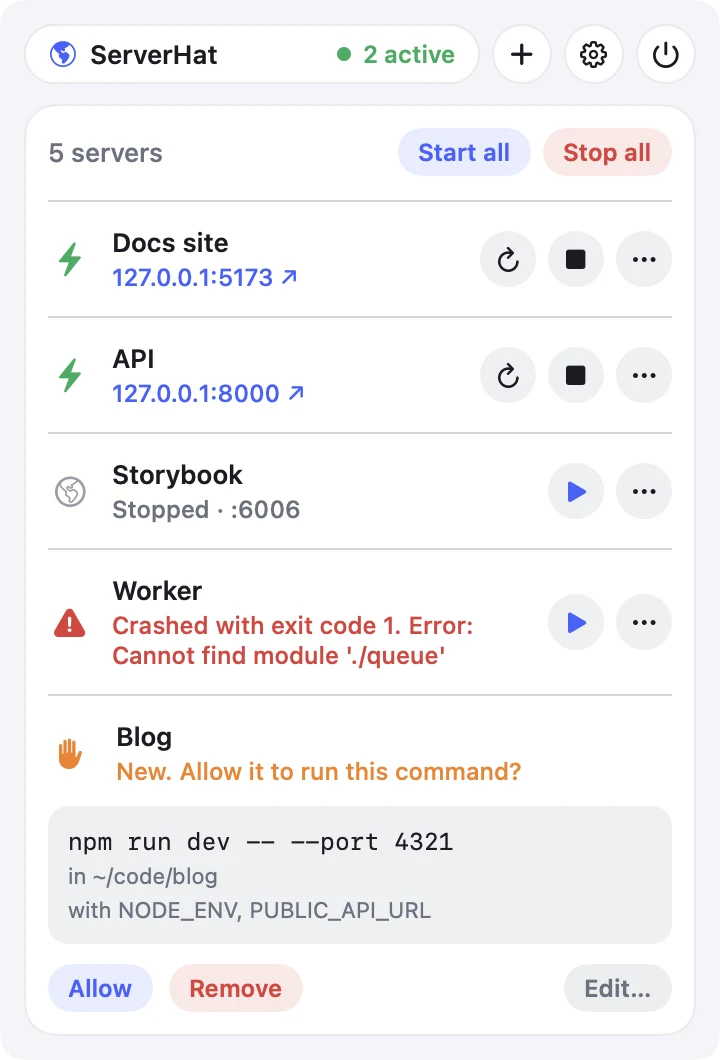
Each server has Start/Stop, Restart, Open in browser and View logs. Start all and Stop all when you have several.
See when a server crashes, with its last line of output, or when its port is taken, and by which process.
A server an agent or script adds or changes can't run until you click Allow. You see the exact command, folder and environment names first.
Bring in a project's .claude/launch.json, its package.json dev script, a Procfile or Docker Compose.
Everything lives in servers.json. Edit it by hand and ServerHat picks up the change within a second.
Every server keeps a log you can read in the app or open as a file, even after the server stops.
Optionally restart a server that crashes, with growing delays and a retry limit so it never loops forever.
The API listens only on 127.0.0.1, needs a private token and refuses web pages. No account, no analytics, nothing sent anywhere.
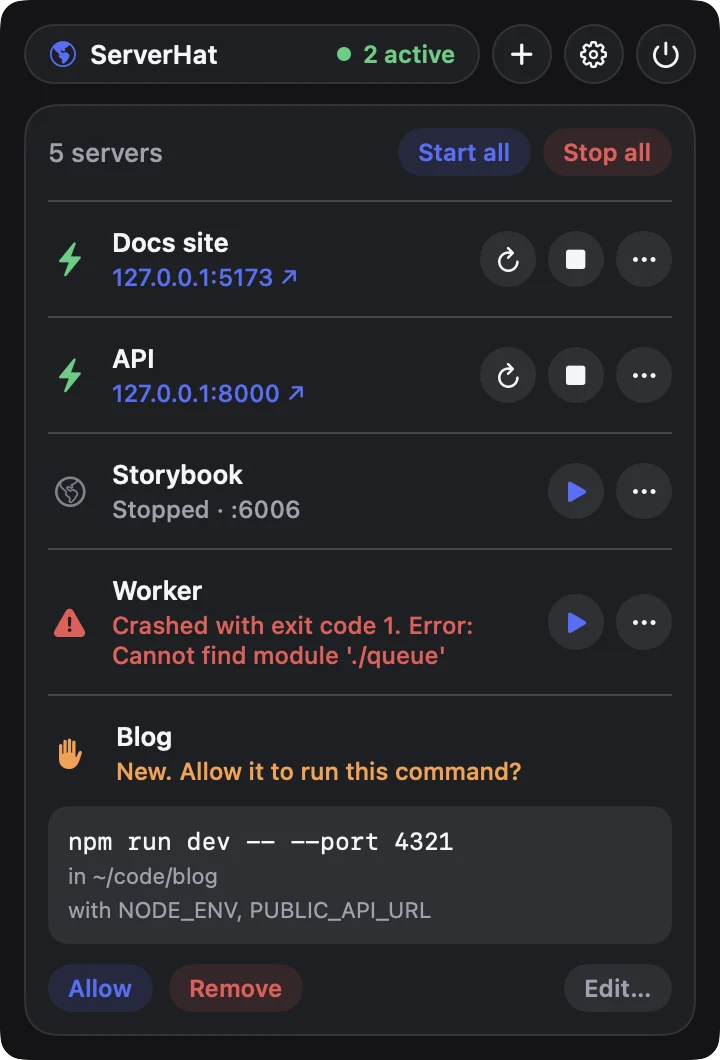
Light or dark, with every server's state at a glance and settings for login, agent setup and export.
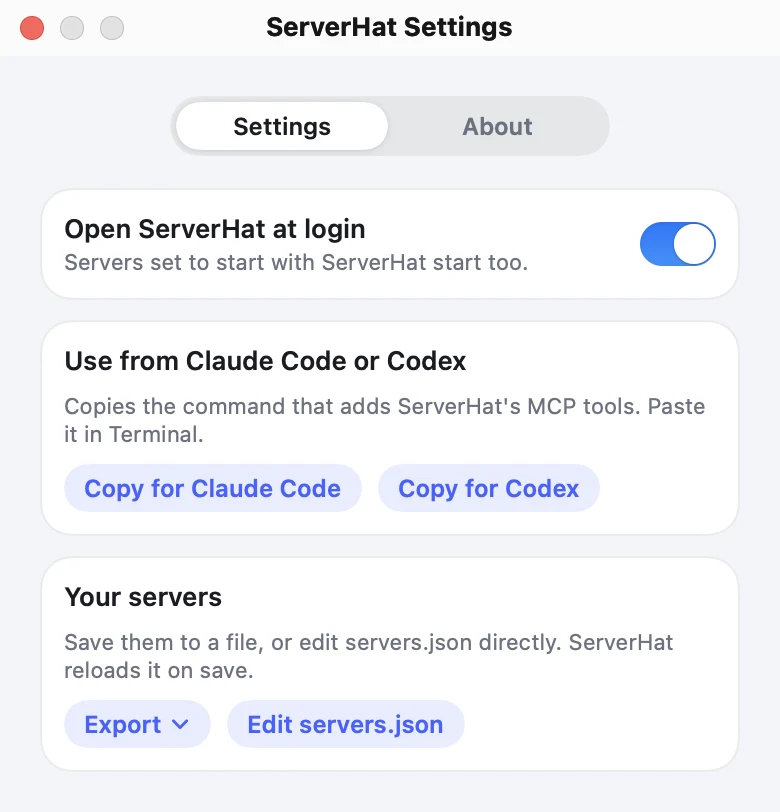
Download ServerHat, open it once, then choose Copy for Claude Code or
Copy for Codex in Settings and paste it into Terminal. Or install on a Mac with
brew install --cask getguruhat/tap/serverhat.
macOS needs 13 or later on Apple silicon and isn't notarized yet: allow the first launch in System Settings › Privacy & Security. Windows needs 10 (1903+) or 11; the MCP server and some features are Mac-only for now. Source: macOS · Windows.