Delete items from Finder
While Finder is frontmost, press the selected media key to move selected items to Trash. Rewind (F7) is the default; F7–F12 are selectable.
 GuruHat
A free, open-source Mac app that brings familiar Windows shortcuts to macOS.
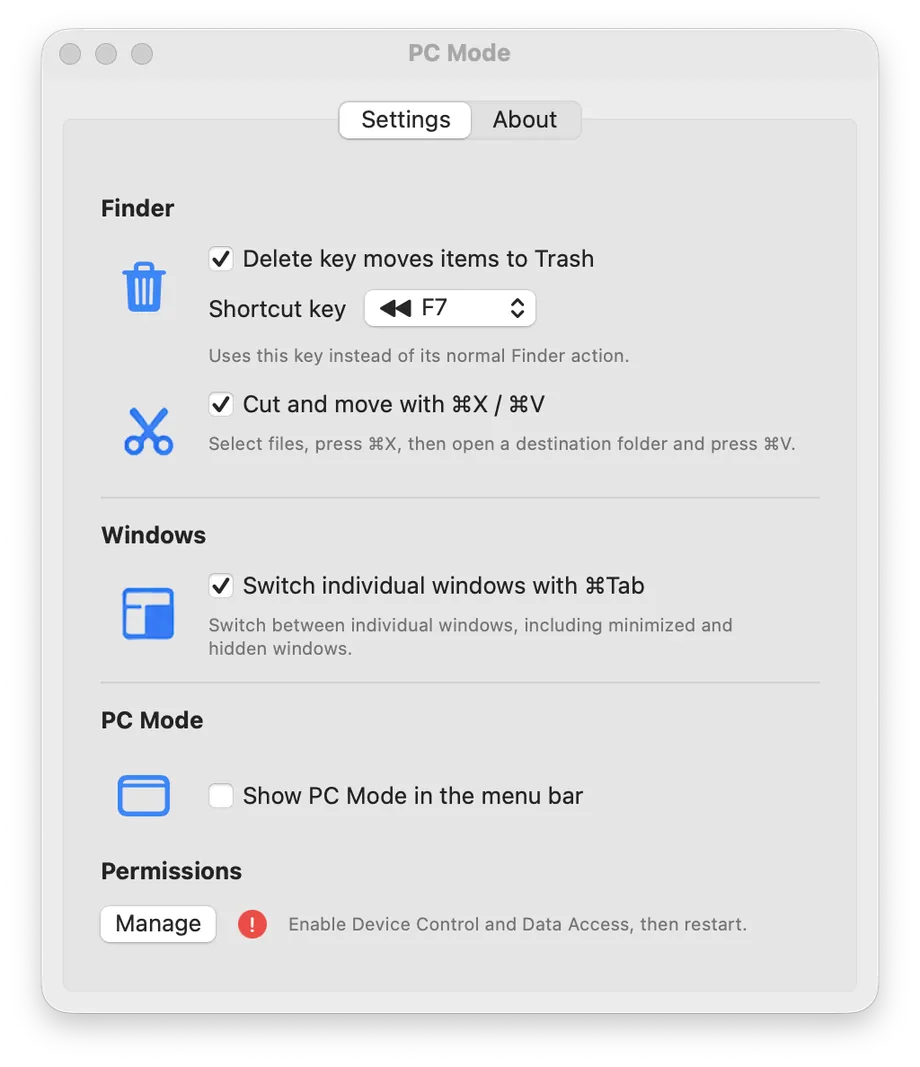 The real PC Mode settings
PC Mode focuses on the everyday actions that feel different after switching from Windows, with a compact settings panel that stays out of your way.
While Finder is frontmost, press the selected media key to move selected items to Trash. Rewind (F7) is the default; F7–F12 are selectable.
In Finder, press ⌘X, open a destination folder, then press ⌘V to move copied files. Changing the clipboard or leaving Finder cancels the pending move.
Use ⌘Tab to select individual windows, including minimized and hidden windows. Release ⌘ to open the selection, use Shift+Tab to move backward, or Escape to cancel. Each app shows its live CPU and RAM use.
Show or hide the PC Mode menu-bar icon. The icon opens Settings and About, and available feature settings save immediately.
Press ⌘Tab and every open app shows how much CPU and RAM it is using right now, so you can spot the one draining your battery or heating up your laptop before you switch to it.
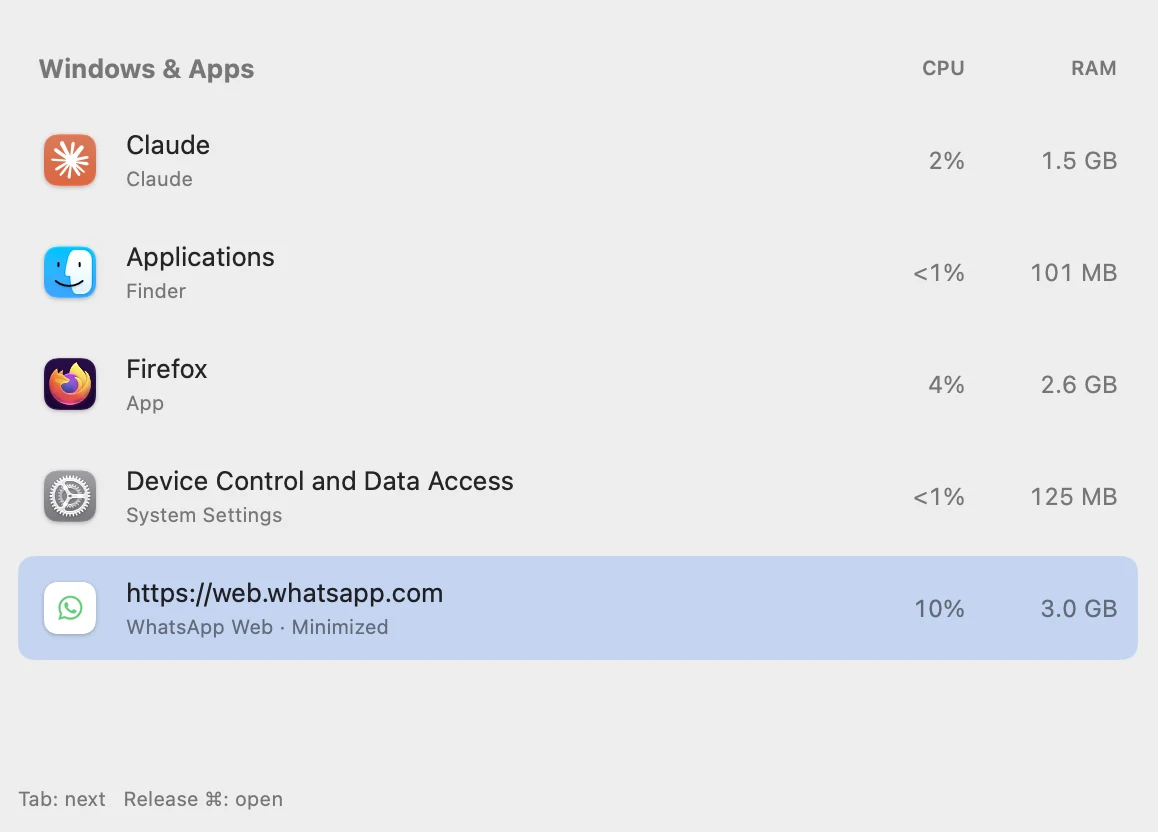
A lightweight native helper with clear controls and permission status.
Turn Finder deletion, cut and move, and individual-window switching on or off independently.
PC Mode attempts to register for launch at login. Move it to Applications and approve it in Login Items if macOS asks.
The Settings Manage button requests the required system permissions, and the status indicator reports when they are ready.
Enable PC Mode in Accessibility (Device Control and Data Access on macOS 27) and Input Monitoring under System Settings → Privacy & Security.
Download PC Mode from GitHub, open the disk image, and drag PC Mode.app to Applications. Open it once, then grant the requested permissions.
Download PC Mode for macOS